Octofleet: Zero-Touch OS Deployment with PXE Boot 🐙
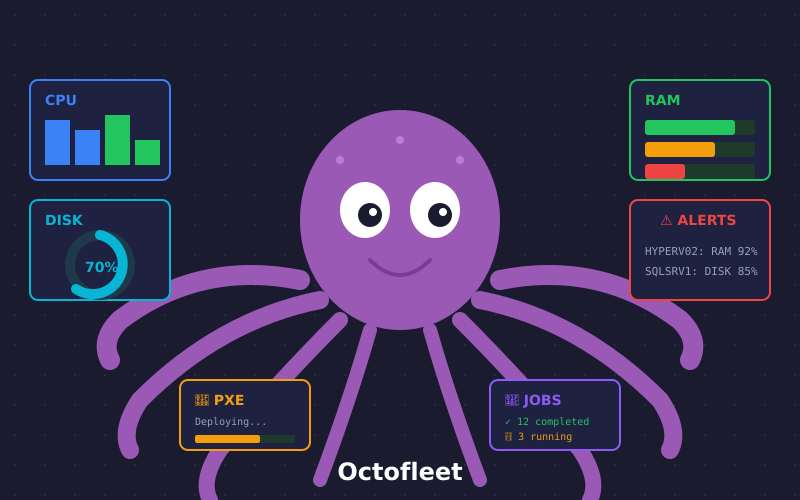
Today was a highly productive day! We’ve extended Octofleet with a powerful new feature: Zero-Touch OS Deployment via PXE Boot.
What is Octofleet?
Octofleet is our open-source Endpoint Management Platform. Think of it as an octopus 🐙 with 8 arms, each handling a different server task: monitoring, patching, installing, configuring, securing, and more!
Imagine you have 50 servers or workstations that all need a fresh operating system. Normally that means: burning USB sticks, changing BIOS settings, clicking through installers… Boring!
With Octofleet, it’s now as simple as:
- Enter MAC address
- Select operating system
- Click “Create Job”
- Power on server → done!
No USB stick. No installer. No clicking around. Zero-Touch.
How Does PXE Boot Work?
PXE (Preboot Execution Environment) allows a computer to boot directly over the network – no local hard drive or USB required.
The flow:
1. Server starts → DHCP Request
2. DHCP responds with IP + PXE Server address
3. Server loads iPXE bootloader (via TFTP)
4. iPXE asks Octofleet API: "What should I do?"
5. API responds: "Here's your boot script for Windows Server 2025!"
6. WinPE starts → Partitions disk → Downloads image → Installs
7. Windows boots → Domain Join → Agent installed → DONE!
The beauty: Everything happens over HTTP. No SMB shares, no firewall headaches.
What We Built Today
🔧 Backend
- Provisioning API with CRUD endpoints for Tasks, Images, and Templates
- Dynamic iPXE generation – each MAC address gets its own boot script
- Database schema for provisioning tasks with full state tracking
- Status callbacks – servers report their installation progress back to the API
🎨 Frontend
- Provisioning Dashboard with live data from the API (no more mock data!)
- “New Job” Dialog – enter MAC, select OS, and go
- Task Queue with real-time status (Pending → Booting → Installing → Done)
- Auto-refresh every 10 seconds
- Delete and retry functionality for failed tasks
📦 Windows Deployment
- Windows Server 2025 (Standard & Datacenter editions)
- Unattend.xml for fully automated installation:
- German locale & timezone (customizable)
- Admin password pre-configured
- RDP enabled out of the box
- Automatic Domain Join
- WinPE Boot Image with curl.exe for HTTP downloads
🖥️ Hypervisor Support
- Hyper-V Generation 2 (UEFI) – tested and working!
- KVM/libvirt – template prepared with VirtIO drivers
- Bare Metal – template for physical servers
The Tech Stack
┌─────────────────────────────────────────────┐
│              Octofleet UI                   │
│         (Next.js + Tailwind CSS)            │
└─────────────────┬───────────────────────────┘
                  │ HTTP/REST
┌─────────────────▼───────────────────────────┐
│           Octofleet Backend                 │
│      (FastAPI + PostgreSQL + asyncpg)       │
└─────────────────┬───────────────────────────┘
                  │
┌─────────────────▼───────────────────────────┐
│             PXE Server                      │
│   (dnsmasq + nginx + iPXE + WinPE)          │
└─────────────────┬───────────────────────────┘
                  │ PXE/HTTP
┌─────────────────▼───────────────────────────┐
│            Target Server                    │
│      (boots via network → installed!)       │
└─────────────────────────────────────────────┘
Why “Octofleet”?
Like an octopus with 8 arms, Octofleet handles multiple tasks simultaneously:
- 🔧 Patching – keeping systems up to date
- 🖥️ Installing – deploying fresh OS images
- 📊 Monitoring – tracking system health
- 🪟 Windows Management – domain join, roles, features
- 💻 Terminal Access – remote command execution
- 🌐 Networking – configuration and connectivity
- ⚙️ Configuration – settings and policies
- 🛡️ Security – vulnerability tracking and compliance
All from a single, unified platform!
What’s Next?
This is just the beginning! On our roadmap:
- Ubuntu/Linux Support – Autoinstall & Cloud-Init integration
- Windows 11 – for client deployments
- Windows Server 2019 – legacy support
- Live Status Callbacks – real-time progress in the UI
- Systems Registry – provisioned systems as permanent entities
Conclusion
From “power on server” to “domain-joined & RDP-ready” now takes only 15-20 minutes. Without anyone lifting a finger. That’s the magic of Zero-Touch Deployment!
The code is open source on GitHub: BenediktSchackenberg/octofleet
Questions? Feedback? Hit me up on Discord!
🐙 Octofleet – Because server installation shouldn’t be boring.